 Kimiko
An AI notetaker can take the note-writing off your hands during a client call. It also creates things a handwritten note never did: a recording, a word-for-word transcript and a summary written by a model. Each one has to be stored, protected and, one day, possibly produced.
This guide collects what bar associations have published so far and turns it into a setup you can use. It’s general information, not legal advice. Your jurisdiction’s rules and your firm’s policies come first.
What the guidance says so far
Three documents are worth reading in full. Dates are when each was published or last updated.
- ABA Formal Opinion 512 (29 July 2024) is the American Bar Association’s first formal opinion on generative AI. It points lawyers to the existing Model Rules on competence (1.1), communication (1.4), fees (1.5) and confidentiality (1.6), the last of which covers all information relating to a representation. ABA announcement.
- New York City Bar Formal Opinion 2025-6 (22 December 2025) is specifically about AI tools that record, transcribe and summarize client conversations. It concludes that clients should be told and their consent obtained before a call is recorded this way, that lawyers should weigh confidentiality and privilege before choosing to record, and that transcripts and summaries should be checked for accuracy. Read the opinion.
- The Law Society of England and Wales, “Generative AI – the essentials” (updated 30 June 2026) advises against putting confidential information into generative AI tools you don’t control, and lists what to establish about a vendor: where data is processed, who processes it, how and where it is stored and who can access it. Read the guidance.
Other bars have published their own guidance, and more will follow. Check your own regulator’s latest position before you change how you take client notes.
Before the call: tell the client and get consent
The NYC Bar opinion is direct about this: recording a client call to create an AI summary needs the client’s knowledge and consent, even in a one-party consent state such as New York. It also reminds lawyers that many states require all parties to consent to a recording, and that some regulate voiceprints as biometric data.
In practice:
- Cover it in the engagement letter, then confirm it at the start of each recorded call. The opinion suggests notice each time unless the platform itself makes the recording obvious.
- Say what you keep. If your policy is to delete the recording and keep only a reviewed note, tell the client, then follow that policy every time.
- Remember that a bot-free tool is quiet. A notetaker that records from your computer doesn’t appear in the participant list, and Zoom or Teams won’t announce it. The announcement has to come from you.
Know where each copy of the conversation goes
An AI notetaker can create three artefacts, and each can live somewhere different:
| Artefact | What it contains | Questions to answer |
|---|---|---|
| The recording | Every voice on the call, word for word | Is it kept at all? Where, for how long, and who can play it back? |
| The transcript | A searchable text of the whole call | Who transcribed it, and where is it stored? |
| The summary | A model’s reading of what was said | Which model wrote it, where, and is it saved with the matter? |
With a cloud service, the answer usually involves the vendor and the companies that supply its speech and AI models. Read the terms for storage location, retention, training and deletion, which are the points the NYC Bar asks lawyers to consider.
Running the speech and AI models on your own computer removes those outside parties from the processing. It doesn’t remove the need to secure the computer, to decide what you keep, or to handle consent and privilege properly.
Keep less than the tool lets you
The NYC Bar opinion notes that it’s the recording and transcript, the intermediate products, that make an AI summary different from your own file memo. Fewer copies means fewer things to secure and fewer things to explain later.
A sensible default for confidential calls:
- Don’t save the audio unless you have a reason to.
- Review and correct the summary soon after the call, while you still remember it.
- File the reviewed note with the matter in your document management system.
- Delete what your policy says you don’t keep, and know where backups and exports live, because they’re separate copies.
Review every summary before you rely on it
A summary can attribute a sentence to the wrong person, drop a qualification or turn an off-the-cuff remark into something that reads like advice. Guidance from both sides of the Atlantic says the same thing: you remain responsible for the output.
Check names, figures, dates and anything that sounds like a commitment against the transcript. Speaker labels in particular need a look: an AI notetaker can usually tell your microphone from the other side of the call, but it can mix up two remote voices.
When the client brings their own notetaker
Clients increasingly record calls with their own AI tools, and those records sit outside your control. The NYC Bar opinion suggests agreeing at the start of the engagement that clients won’t record without notice, and saying in the retainer that unreviewed AI summaries made by the client’s tool aren’t binding on you. It also recommends warning clients that their own tools may put confidentiality and privilege at risk.
A setup for confidential calls in Kimiko
Kimiko is a desktop app for Apple silicon Macs and Windows PCs. It records your microphone and the call audio playing on your computer, so no bot joins the meeting, and by default it transcribes and summarizes with models on your computer. Here’s how we’d set it up for client work:
- Download the local models during setup. Choose Add beside Built-in AI so summaries, suggested tasks and chat answers are written on your computer.
- Check both settings pages. In Settings → Transcription → Speech models and Settings → AI, confirm a local model is selected. Cloud speech models carry a Cloud chip, and the AI card names the provider whenever it isn’t built in.
- Leave audio off. Keep session audio in Settings → Transcription starts at Off, so Kimiko transcribes and discards the audio.
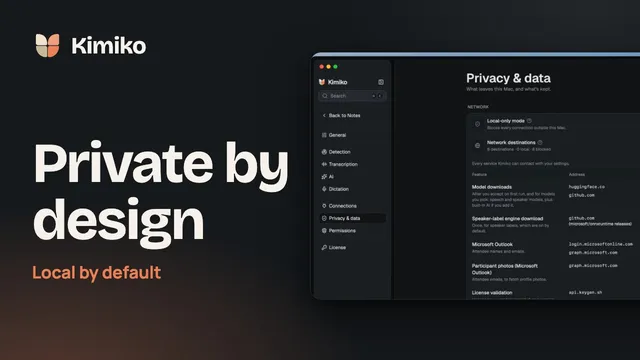
- Turn on Local-only mode once downloads and activation are done. In Settings → Privacy & data, it blocks Kimiko’s connections outside your computer, and Network destinations shows what’s left.
- Use one project per matter. Projects keep the meetings, your own notes and the tasks for a matter together, and chat can answer from just that project.
- Export the reviewed note. Save it as PDF, Word or Markdown into your firm’s system, then delete the meeting in Kimiko if your policy says so. Deleted items stay in Trash for the retention period you’ve set, so check there too.
Your library is kept in an encrypted database on your computer. Local processing still uses the internet for model downloads, updates and licence checks, and anything you connect, such as a calendar or a cloud provider, gets what that feature needs. What stays on your computer has the details.
We don’t claim any certification or regulatory approval for Kimiko. Evaluate it against your firm’s policies the way you would any tool, and ask us anything the documentation doesn’t answer.
Questions
Does using an AI notetaker waive attorney-client privilege?
We can’t answer that for your jurisdiction, and courts haven’t settled every version of the question. The guidance above flags the risk that comes from sharing a privileged conversation with outside parties and from creating discoverable records. Fewer parties and fewer stored copies reduce that risk; your ethics counsel can tell you how your rules apply.
Do I need client consent in a one-party consent state?
Ethics rules can require more than the recording statute does. The NYC Bar opinion concludes that New York lawyers should notify clients and get consent before recording calls with an AI tool, even though New York is a one-party consent state.
Is a summary enough, or should I keep the transcript?
It depends on your matter and your policy. A reviewed summary works like a file memo. A transcript or recording is a verbatim record, which can help or hurt later. Decide on a policy, tell clients, and apply it consistently.
Can I use Kimiko for calls on Zoom, Teams and Google Meet?
Yes. Kimiko records your microphone and the computer’s call audio, so it works alongside those apps without joining the call. See Teams meeting notes without a bot and Zoom and Google Meet notes for setup.
Download Kimiko and test the setup on an internal call first. It’s free to try.
 Download for Windows